

3D Terrain Generator



- Rating:
- 6 (17 votes)
- Engine:
- HTML5 / JavaScript
- Platform:
- Browser (Desktop and Mobile)
- Orientation:
- Landscape
- Release date:
- December 5, 2024
- Last update:
- June 30, 2025
3D Terrain Generator Game Description
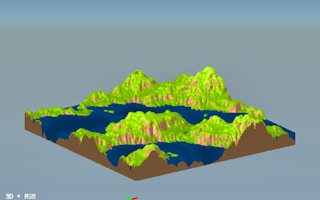
Create perlin noise terrain or import your own height map. Run erosion simulations on this terrain, add textures, and export in a variety of formats including 3D meshes as .obj
Most inputs have additional info text you can read.
[FAC] - factor. A value used in multiplication
[TU]terrain units. There are 255 units in an 8-bits-per-channel heightmap
[PX]-pixels
[NUM]-number
[RGB]-an RGB colour, 8-bits-per-channel
[PERCENT]-a percentage value, ranging from 0-100
[ANGLE]-an angle, ranging from 0-360
How to play 3D Terrain Generator?
INSTRUCTIONS:
Go through each of the 4 tabs in order. Each tab provides settings which you can edit by clicking on the text. A slider can be dragged or alternatively, type the desired value with your keyboard. To apply those changes, you have to click the relevant button, e.g. "run" or "generate".
You have access to multiple view modes at the top of the screen. Choose between greyscale height map, normal map, and texture / colour map. There are also 2D and 3D view buttons.
Platform
Browser Desktop , Mobile and Tablet
Release date
December 5, 2024
Last update
June 30, 2025
FAQs
Can you export this world?
Yes, you absolutely can! You can export it to different 3D types like .obj for example