

Bloxd.io




- Rating:
- 8.8 (6.01k votes)
- Engine:
- Not Specified
- Platform:
- Browser (Desktop)
- Orientation:
- Landscape
- Release date:
- July 13, 2023
- Last update:
- April 1, 2025
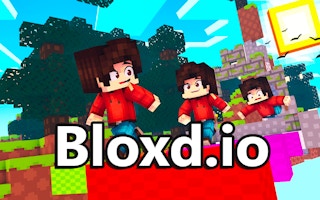
Bloxd.io is a massive multiplayer voxel sandbox game that brings the creativity and action of Minecraft-style gameplay directly to your web browser. Unlike traditional block games, Bloxd.io is a collection of diverse minigames and modes housed in a single platform. Whether you want to fight in Bed Wars, demonstrate your agility in Parkour tracks, build peacefully in Creative, or survive on a single cube in One Block, this game offers endless possibilities. It features high-performance graphics and smooth controls, allowing you to run, jump, and craft in a persistent online world with thousands of other players.
About Bloxd.io Sandbox Game
Blocky games may have a simplistic appearance and this leaves more room for creativity, which Bloxd.io tries to encourage. As a multiplayer building game, it combines elements of adventuring, survival, battling, exploring, and crafting. It gives you a lot to work with and you'll likely come across something that you enjoy. Even if you don't, Bloxd.io gives you the tools to make your own fun whether it's by yourself or with other players. Considering how well this Minecraft style browser game runs, it's a solid choice if you're looking to quickly start playing with blocks. Since new game types can be added at any time, it's worth checking back in every now and then.
How to Play and Controls
To go with the blocky style, the controls are pretty standard. While the rules for the game will change as well as some of the available options depending on what scenario you're playing, the controls are always the same.
Movement and Action Controls
- W/Up Arrow - Move Forward
- S/Down Arrow - Move Backward
- A/Left Arrow - Strafe Left
- D/Right Arrow - Strafe Right
- Spacebar - Jump
- Shift (hold) - Sprint
- Left Mouse Button - Break Block/Use Item
- Right Mouse Button - Place Block
- Q - Drop Block/Item
- P - Change Perspective
- Control/C/CapsLock - Crouch
- Tab - Open Inventory
- O - Open Settings
There are icons in the lower left, top right, and lower right of the screen that will change based on what you're playing. The related button will be in the corner of the icon and these can open things like stores, world settings, and character customization.
Console Commands
- /spawn - Teleports you to lobby spawn
- "/tprequest [name]" - Teleport request the player you want to tp to
- /tpaccept - Accept the player that wanted to teleport to you. Add their name behind them to accept that player if multiple players teleport to you.
- /tpdeny - Denys the player that requested teleport to you.
- /home - Teleports to your set home. Add a name behind the home that you named it to teleport to it.
- "/delhome [name]" - Deletes your set home. Type the name behind that you want to delete.
- "/sethome [name]" - Sets your home. Add a name behind it to name it.
- /homes - Shows your homes.
- /players - Shows the names of the players currently in the lobby
- /protectors - Shows where your protectors are located at.
- /timetillreset - Tells you when the reset chunks will reset. (Doesn't work in Worlds)
Bloxd.io Game Modes and Minigames
The game features a rotating roster of game modes catering to all playstyles. Competitive players can dive into Bloxd Bed Wars, a strategic team deathmatch where protecting your bed is key to respawning. For those who prefer collaboration, Greenville allows you to simulate a town economy, work jobs, and build homes. Adrenaline seekers should try Bloxd.io Hop (Parkour) or the frantic Evil Tower, where climbing speed is everything.
- Survival - Enter a blocky wilderness and try to survive as long as you can.
- Peaceful - Enter a serene natural world where you can explore and craft in peace.
- Creative - Enter a world of infinite blocks and build whatever you want.
- Bed Wars - A deathmatch where opponents are only removed if you destroy their bed.
- One Block - Enter a void where you start on a single stack of blocks that you can use to build your own world.
- Greenville - Become part of a community where you work and contribute to helping things grow.
- Cube Warfare - Takes up arms on a battlefield where you try to eliminate other players.
- Evil Tower - Enter a randomly generated tower where your only goal is to reach the top.
- Doodle Cube - A building competition where the theme changes periodically.
- Bloxd.io Hop - Enter a parkour course and try to reach the end.
- Hide and Seek - Hide as a block or seek out players hidden as blocks.
- Worlds - Explore player worlds or make your own world to explore.
- Murder Mystery (Limited) - Take part in a mystery as a bystander, a detective, or a murderer.
- The Pit (Limited) - Enter an arena where it's a free-for-all at the bottom of a pit.
Game Details
- Developer: Arthur
- Platforms: Web Browser (PC)
- Languages: English
Gameplay Footage
FAQ - Bloxd.io Questions
Is Bloxd.io like Minecraft?
Yes, Bloxd.io shares many visual and gameplay similarities with Minecraft, including voxel graphics and crafting mechanics. However, it is a free browser-based alternative that focuses more on specific minigames like Bed Wars and Parkour, and is often played as Bloxd io unblocked at school or work.
Can I play Bloxd.io with friends
Yes, Bloxd.io is a multiplayer game. You can meet friends in specific lobbies or use the teleport commands (like /tprequest) to find each other within the vast game world.
How do I use console commands in Bloxd.io?
To use commands, press Enter to open the chat, then type the command starting with a forward slash (e.g., /spawn to return to the lobby or /sethome to save your location).