

Galaxy Bricks

- Rating:
- 7.6 (23 votes)
- Engine:
- HTML5 / JavaScript
- Platform:
- Browser (Desktop and Mobile)
- Orientation:
- Landscape
- Release date:
- November 28, 2025
- Last update:
- December 9, 2025
Galaxy Bricks Game Description
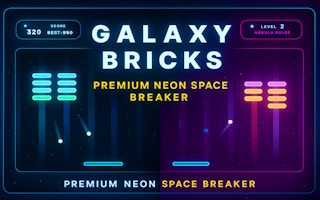
Galaxy Bricks is a fast-paced neon brick-breaker where you control the paddle, destroy glowing blocks and collect power-ups to advance through each level. The game is simple to learn and runs smoothly with both mouse and touch controls. Progress through increasingly challenging layouts while using boosts like laser shots, slow motion and multi-ball to clear every stage.
Power-Ups & Boosts
Galaxy Bricks includes several power-ups that change the match instantly. Collect Laser Shots to destroy multiple bricks at once, activate Slow Motion for precision, or split the ball into a Multi-Ball explosion. Each power-up helps you clear levels faster and overcome harder layouts.
Level Progression
Each level in Galaxy Bricks becomes more challenging, introducing tougher layouts and faster brick patterns. Players need to react quickly and use power-ups wisely to complete stages and reach the highest score possible.
How to play Galaxy Bricks?
Desktop
Move Left = Left Arrow
Move Right = Right Arrow
Launch Ball = Spacebar
Mobile
Tap Left side = Move Left
Tap Right side = Move Right
Tap to launch the ball
Hint
Use power-ups wisely to clear difficult layouts and aim carefully to hit explosive bricks.
Platform
Browser Desktop , Mobile and Tablet
Release date
November 28, 2025
Last update
December 9, 2025
FAQs
How do I control the paddle?
On desktop, move the paddle with the mouse or arrow keys. On mobile, swipe left or right to control it easily.
What are the power-ups for?
Power-ups help you clear levels faster. Laser Shots break many bricks, Slow Motion gives more control, and Multi-Ball splits the ball.