

Checkmate Game

- Rating:
- 6 (10 votes)
- Engine:
- Unity (WebGL)
- Platform:
- Browser (Desktop and Mobile)
- Orientation:
- Landscape and Portrait
- Release date:
- June 12, 2026
- Last update:
- June 12, 2026
Checkmate Game Description
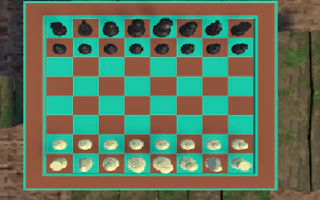
In this chess game, two players compete, one playing with the white pieces and the other with the black pieces. The player with the white pieces goes first, then the player with the black pieces takes their turn, and the game continues according to the usual chess rules.
Click the mouse on the chess piece and then click again on the board you can move to, which will light up with a light green square. To capture another piece, a pink square will appear, allowing you to capture that piece.
How to play Checkmate Game?
Desktop
Click the mouse on the chess piece and then click again on the board you can move to. Simply click on the illuminated square to move your piece to that location.
Mobile
Click on the chess piece and then click again on the board you can move to. Simply click on the illuminated square to move your piece to that location.
Platform
Browser Desktop , Mobile and Tablet
Release date
June 12, 2026
Last update
June 12, 2026